Skip to content
View in the app

A better way to browse. Learn more.

Fillarikeskustelu.com

A full-screen app on your home screen with push notifications, badges and more.

To install this app on iOS and iPadOS
  1. Tap the Share icon in Safari
  2. Scroll the menu and tap Add to Home Screen.
  3. Tap Add in the top-right corner.
To install this app on Android
  1. Tap the 3-dot menu (⋮) in the top-right corner of the browser.
  2. Tap Add to Home screen or Install app.
  3. Confirm by tapping Install.

AnttiL

Jäsen
  • Liittynyt

  • Viimeksi vieraillut

Käyttäjän AnttiL kaikki viestit

  1. AnttiL vastasi AnttiL:n viestiin alueella: Projektit
    juu laitoin sellasta teippi laminaattia kohtiin mitkä ottaa eniten osumaa
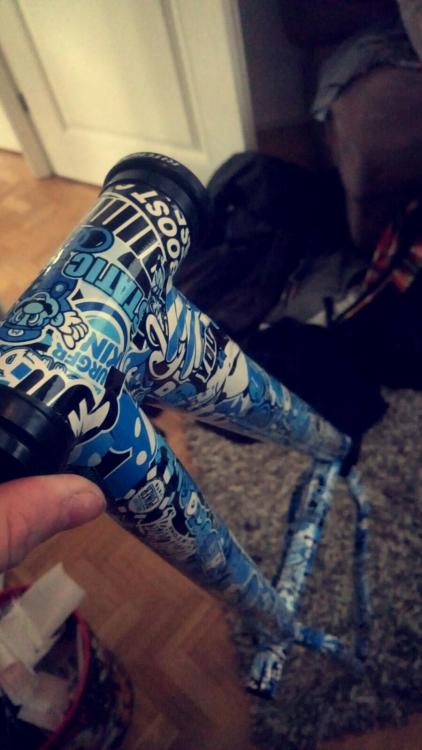
  2. mitäs ootte mieltä, oli tallin perällä vanha dirtin runko lojumassa ni päätin sitten hieman ehostaa

Tärkeää tietoa

Hyväksy Käyttöehdot ja Tietosuojakäyntö.

Account

Navigation

Haku

Haku

Configure browser push notifications

Chrome (Android)
  1. Tap the lock icon next to the address bar.
  2. Tap Permissions → Notifications.
  3. Adjust your preference.
Chrome (Desktop)
  1. Click the padlock icon in the address bar.
  2. Select Site settings.
  3. Find Notifications and adjust your preference.